Fake Live / TikTok-style live simulator
A TikTok-style
live room, on demand
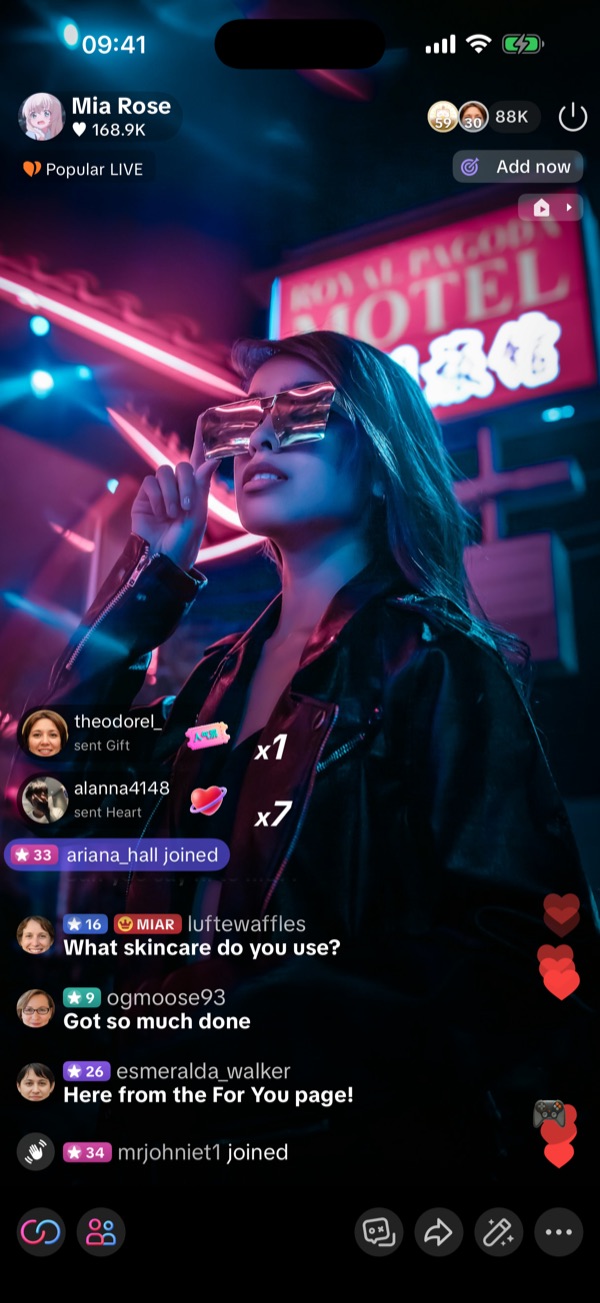
Pick the TikTok skin and you get the familiar live layout: comments rolling up, gift banners, a PK score bar and a crowd that keeps growing. Great for pranks, short videos, or rehearsing before your real stream.
Free to use · fakelive.krisfun.com is the only official site
Live room
Comments, gifts
and a growing crowd
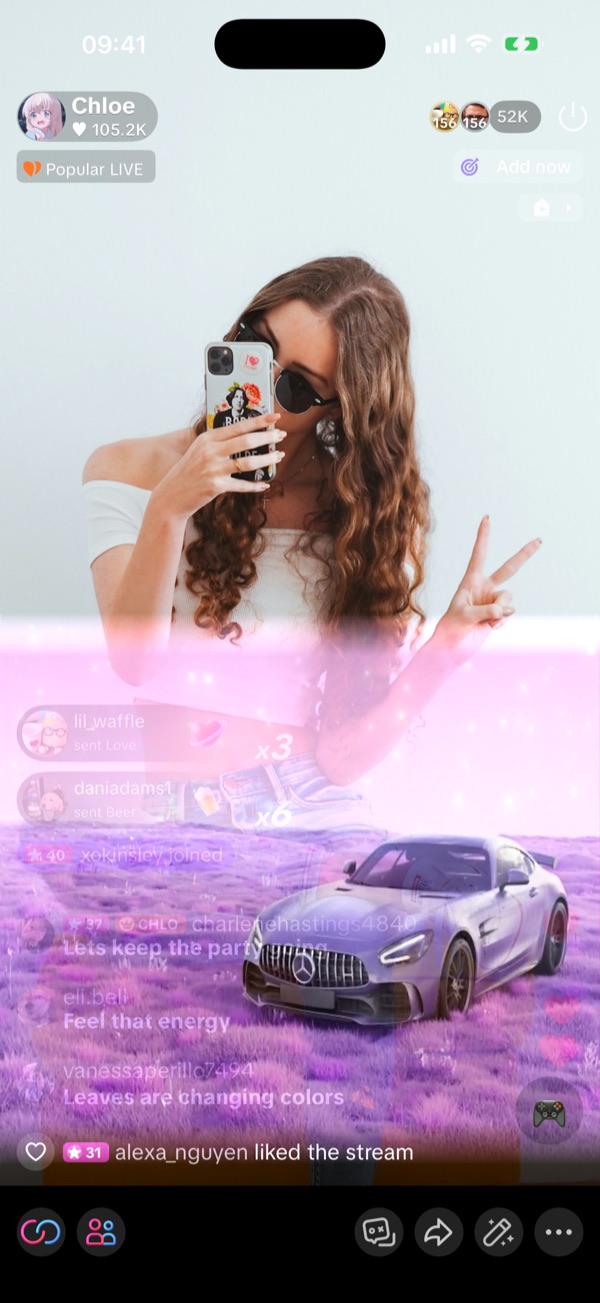
Set the viewer count, comment speed and how often gifts arrive. The audience can ramp up slowly over a few minutes so it looks natural on camera.
- Comments in 53 languages, plus your own custom topics
- Gift banners, combos and a top-gifter list; full-screen effects with VIP
- Viewer avatars rotate by gift ranking, like a real stream
- Use your camera with beauty filters in the app, or a green screen / video
Interactions
PK battles and
co-hosts in one tap
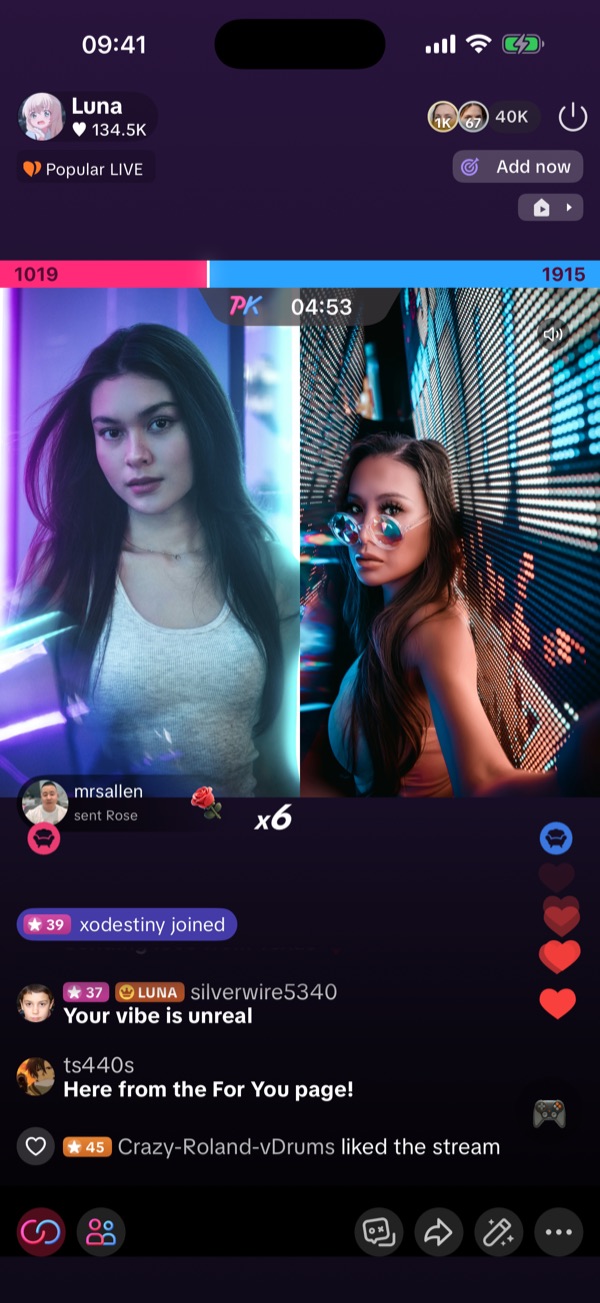
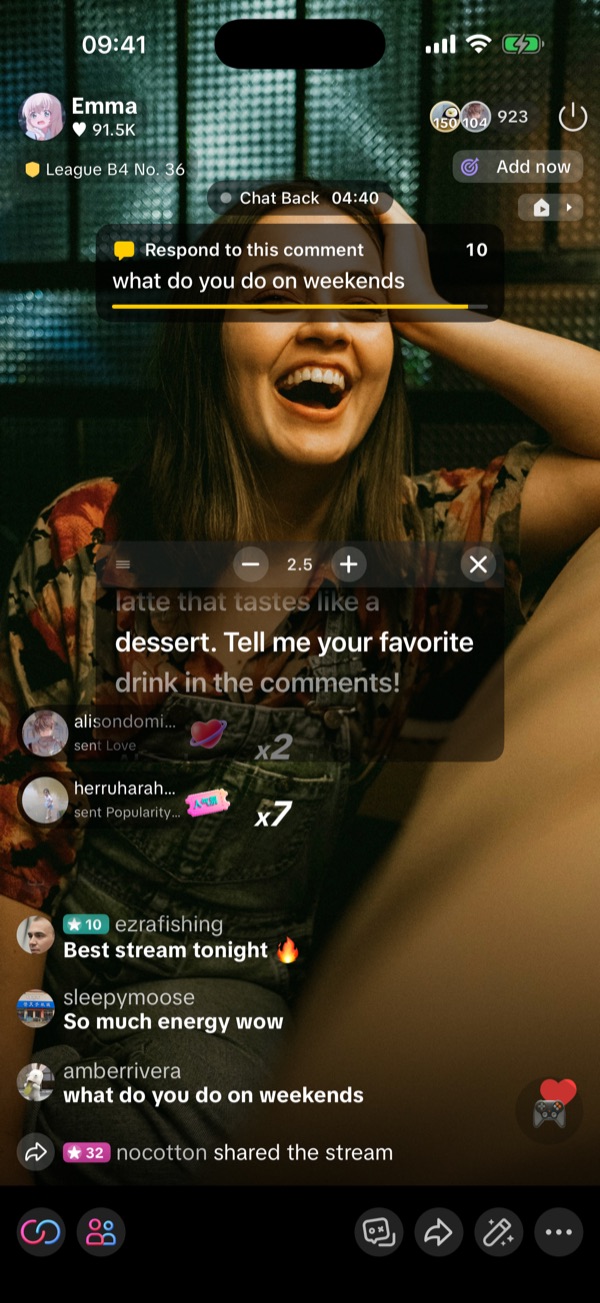
Start a PK battle or bring in a co-host without anyone else on the line. The other side can be a local video.
- PK battles with a live score bar and countdown
- Split-screen co-host layout
- Shopping mode with product cards and buyer questions
- Built-in screen recording on iPhone and Android
How it works
Choose the TikTok skin
In the app or web version, set the live room style to TikTok.
Set the vibe
Pick viewers, comment speed and gift frequency. Add products for shopping mode.
Go live
Hit start. Comments and gifts roll in; start PK or co-host whenever you want.
Fake Live is a live stream simulator. Every viewer, comment and gift is generated on your device. Nothing is broadcast to TikTok or anywhere else, and no real money is involved.
People use it to film prank videos, make content that looks like a busy live, test a streaming setup, or practice talking to a chat before going live for real. The same room can also switch to a Douyin or Instagram style.
FAQ
Is this the real TikTok app?
No. Fake Live is an independent simulator with a TikTok-style layout. It is not affiliated with or endorsed by TikTok or ByteDance.
Does it actually stream to TikTok?
No. Everything happens on your device. Nothing is broadcast, uploaded or shown on any platform.
Can I use it on my computer?
Yes. Open fakelive.krisfun.com/app/ in a browser. The web version has the TikTok-style room with a green screen, image or local video as the picture.
Can I record a video of it?
Yes. The iPhone and Android apps have built-in screen recording. On a computer, use your system's screen recorder.
Is it free?
Free to download and free to go live. More viewers, more PK battles, full-screen gift effects and more can be unlocked with VIP or coins. Prices are shown in the app.
More ways to use Fake Live
TikTok is a trademark of ByteDance Ltd. Fake Live is not affiliated with TikTok; "TikTok-style" only describes the look of the live room.

Start your first stream now
Get the app on iPhone or Android, or open the web version on your computer.